Paylinks
With Paylinks, you can generate page for customer to pay for your products without having a page.
Overview
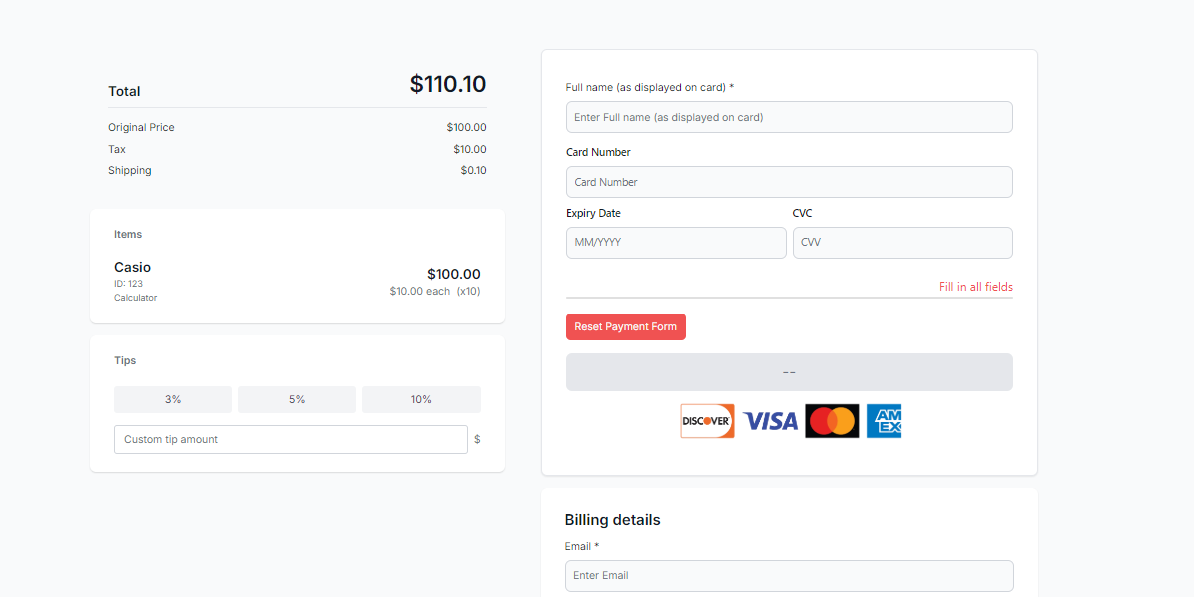
Paylinks gives merchants the ability to automatically generate a unique payment link for their customers without needing a website. When a customer uses the link, they are redirected to a payment page to enter their payment details. This unique link can be set for single use or multiple use, depending on the business case.
Distribution Methods
You can provide the link to your customers in several ways:
- QR code for customers to scan with their phone
- Promotional posts on social media (Facebook, Instagram)
- Direct delivery via email or SMS
- Bill payment reminders
Key Features
With Pay by Link, you can:
- Align your Customer Relationship Management (CRM) system to enhance payment capabilities
- Automate the payment of a Pay by Link into your fulfillment systems
- Track each individual payment link and see if it leads to a payment
Use Cases
Use Case #1: Reminder Texts
A medical insurer wants to send reminders to its customers to pay their bill. It uses the API to create payment links, which are then sent via its CRM system as text messages to customers. Customers click the link in the text message, which opens up a payment page on their phone for them to pay their insurance bill.
Use Case #2: Social Media Posts
A large multinational corporation uses the APIs to create payment links, which it feeds into its social media platform to push products directly to its Facebook, Twitter, and Instagram accounts. Customers can see the posts and click the payment link to purchase the products directly.
Use Case #3: QR Codes on Checks
A restaurant point-of-sale (POS) software provider enables pay-at-the-table functionality by leveraging the API. The POS software calculates the final bill and then calls the API to generate a payment link. Using a third-party library, the POS software embeds the link into a QR code and prints the QR code onto the check provided to the restaurant’s customer. The customer then scans the code using their phone and is taken to the payment page where they enter the payment details.
Use Case #4: Telephone Orders
An online retailer selling high-end products allows customers calling in for product advice to also complete a purchase over the phone using a credit card. The merchant previously used a virtual terminal to input the card number, but since this raised serious data protection and security concerns, their CRM system now sends a payment link to the customer’s phone instead. The customer then completes the purchase on a personalized payment page for the merchant.
Product Information
What You Get with Pay by Link
- Create, manage and share payment links
- Dashboard UI to complement our API
- Configure information capture on payment forms
Integration Options
- API via the Links resource
Supported Regions
- United States
How It Works
A payment link is created through the Unified Payments API server (/ucp/links). The process flow includes:
- API request to create payment link
- Generation of unique link ID (LNK_ID)
- Customer receives link via preferred channel
- Customer enters payment details on Truust hosted page
- Transaction processing and webhook notifications